😀 这里写文章的前言:
为什么需要解析SQL?解析完SQL后又能做什么?
0. 校验SQL的语法是否合规

  1. 数据安全需要解析SQL获取出对应的的操作
  2. 数据血缘的抽取需要解析SQL
  3. 类似Hive/Spark等在将SQL转化为mr,执行计划等的时候,也是需要解析SQL的
  4. 等等;欢迎你来补充更多需要解析SQL的话题

📝 解析的方法

项目名称 适合的数据库 项目地址 个人观点
JSqlParser RDBMS ⚠️[此处原为Notion外部链接预览,URL待补充] 目前只适合关系型的数据库,对于大数据很多领域的数据库目前还不是特别支持
calcite Cassandra、Druid、Elasticsearch、MongoDB、Kafka,FlinkSQL等 https://github.com/apache/calcite/tree/main 后续再补
antlr 可以借助 grammars-v4 这个项目提供,可以解析很多数据库以及编程语言等都可以解析的 antlr4项目:https://github.com/antlr/antlr4

语法校验项目模块: grammars-v4
社区构建比较完善,比如Spark,Hive,Iceberg等都有.g4文件来满足antlr4对SQL的解析,并且你也可以借助开源项目提供的g4来解析

类似阿里开源的druid这种也是有解析SQL的功能的,但是稍微看了下源码,其底层好像也是有利用到antlr

antlr怎么用

IDEA插件

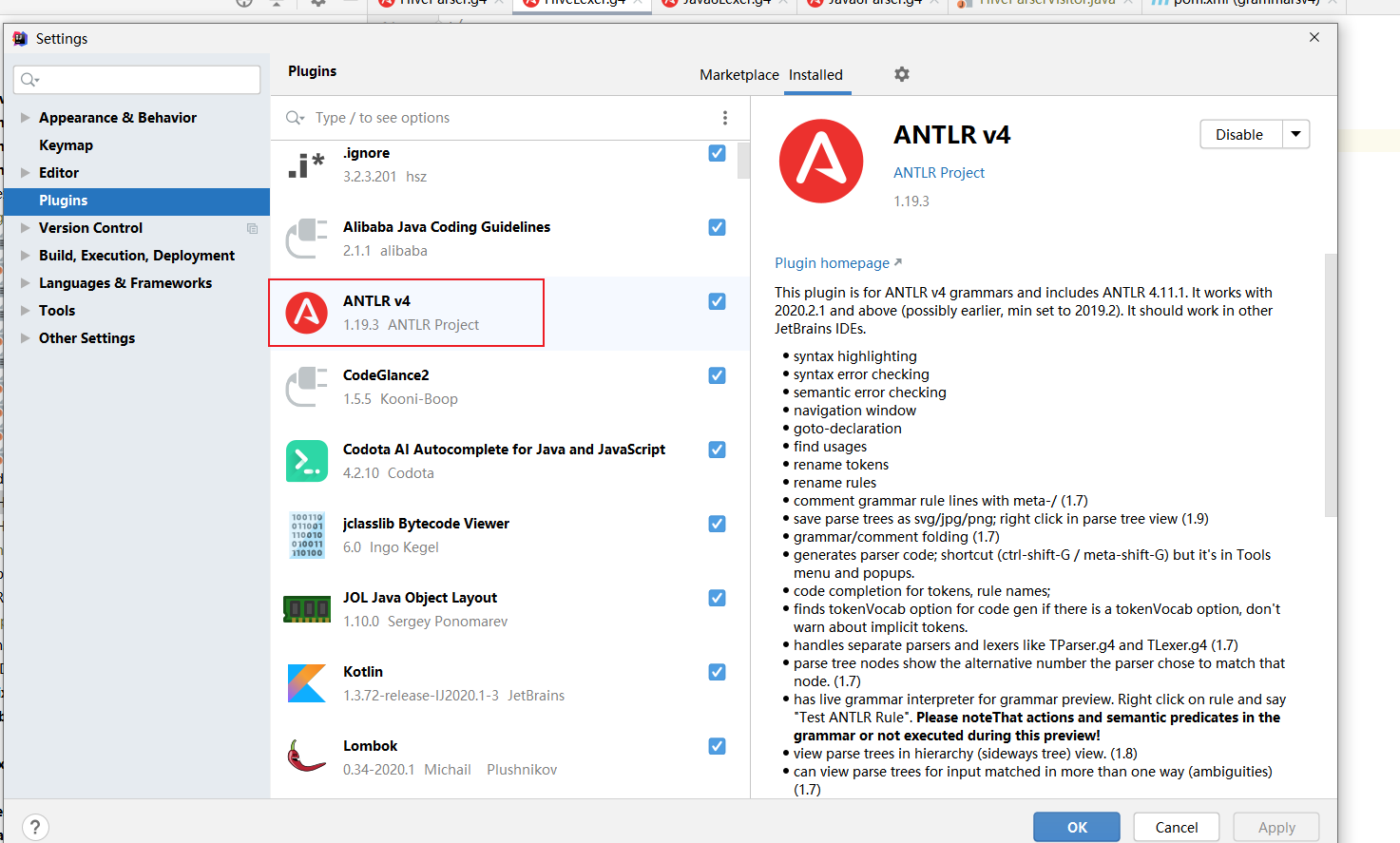
借助IDEA插件来进行安装,但是需要注意的是,项目中的antlr的版本最好是和idea中antlr的版本一致;如果不一致的话,需要使用antlr对应版本的jar来对g4文件生成对应的文件

Antlr4-解析入门一

手动JAR安装

对应版本下载地址: https://github.com/antlr/website-antlr4/tree/gh-pages/download

我们在此处的地址下载自己需要的对应版本;此处的anltr4如果你不想配置环境变量,就替换为 java jar antrlxxx.jar -o… 后面需要的参数

常用参数说明:

  • -o : 生成 tokens,interp,java等路径
  • -listener: 生成监听者模式的参数
  • -visitor: 生成访问者模式的参数
  • -lib: 指定g4文件的路径
antlr4 -o E:/coding_self/github_learn/grammars-v4/sql/hive/v3\gen 
-listener -visitor
-lib E:/coding_self/github_learn/grammars-v4/sql/hive/v3 E:/coding_self/github_learn/grammars-v4/sql/hive/v3\HiveParser.g4 E:/coding_self/github_learn/grammars-v4/sql/hive/v3\HiveLexer.g4

其它方法

官网介绍的方法传送门: https://github.com/antlr/antlr4/blob/master/doc/java-target.md

生成效果

采用如上,最后生成的效果如下图;那我们就可以愉快的在代码中使用和调试了

Antlr4-解析入门一

使用流程

我们按照上面的流程,都生成对应的文件之后,就可以导入到项目中进行使用了;假设导入后报错的话,仔细检查下是否包名的路径之类的问题,手动处理下就好了

我们这里基于访问者来进行介绍

继承 BaseVisitor

比如我借助 grammars-v4 的hive4生成的访问者base类叫 HiveParserBaseVisitor

 借助 Spark的g4生成的 `SqlBaseBaseVisitor`

这里我已Hive的为准介绍,HiveSqlAst 来集成 HiveParserBaseVisitor

package com.iyang.bootbasicio.sql.hive.utils;

import com.iyang.bootbasicio.sql.hive.HiveParser;
import com.iyang.bootbasicio.sql.hive.HiveParserBaseVisitor;
import lombok.extern.slf4j.Slf4j;

import java.util.HashMap;
import java.util.HashSet;
import java.util.Map;
import java.util.Set;

/***
* @author: yang_bao
* @date: 2023/11/3
* @desc:
***/

@Slf4j
public class HiveSqlAst extends HiveParserBaseVisitor {

private Map<String, Set<String>> dnTableActionMap = new HashMap<>();

public HiveSqlAst() {
}

public HiveSqlAst(Map<String, Set<String>> dnTableActionMap) {
this.dnTableActionMap = dnTableActionMap;
}

public Map<String, Set<String>> getDnTableActionMap() {
return dnTableActionMap;
}

@Override
public String visitStatement(HiveParser.StatementContext ctx) {
log.info(" enter visitStatement function ");
/* HiveParser.DdlStatementContext ddlStatementContext = ctx.execStatement().ddlStatement();
HiveParser.TableNameContext nameContext = ddlStatementContext.alterStatement().tableName();
String dbText = nameContext.db.getText();
String tabText = nameContext.tab.getText();

log.info("the db is {} , tab is {} , meta is {} " , dbText, tabText,1);*/
// 这步链式调用是不能少的,如果你发现少了的话,下面的解析方法就不会进去了
super.visitStatement(ctx);
return null;
// return visitChildren(ctx);
}

// 包含了 select 的查询
@Override
public Object visitSelectStatement(HiveParser.SelectStatementContext ctx) {
System.out.println("\n");
log.info("enter visitSelectStatement function ");
/* HiveParser.AtomSelectStatementContext atomSelectStatementContext = ctx.atomSelectStatement();
String tableName = atomSelectStatementContext.fromClause().fromSource().joinSource().atomjoinSource().tableSource().tabname.getText();

log.info("the tableName is ---> {} " , tableName);*/
/*
System.out.println(ctx.getText());
try {
SqlParser sqlParser = SqlParser.create(ctx.getText());
SqlNode sqlNode = sqlParser.parseQuery();
System.out.println(sqlNode);
} catch (Exception e){
e.printStackTrace();
}
*/
/* HiveParser.AtomSelectStatementContext atomCtx = ctx.atomSelectStatement();
HiveParser.FromSourceContext fromSourceContext = atomCtx.fromClause().fromSource();
HiveParser.AtomjoinSourceContext atomJoinSource = fromSourceContext.joinSource().atomjoinSource();
String atomTableName = atomJoinSource.tableSource().getText();
List<HiveParser.JoinSourcePartContext> partContexts = fromSourceContext.joinSource().joinSourcePart();
for (HiveParser.JoinSourcePartContext sourcePartContext : partContexts) {
String partTableName = sourcePartContext.tableSource().getText();
log.info("the partTableName value is ---> {} ", partTableName);
}
log.info("the atomJoinTable value is ---> {} " , atomTableName);*/
// String tabelName = ctx.atomSelectStatement().fromClause().fromSource().joinSource().atomjoinSource().tableSource().getText();

HiveParser.AtomSelectStatementContext atomSelectStatement = ctx.atomSelectStatement();

parseSelectSql(atomSelectStatement);
return null;
}

// 包含了 insert
@Override
public Object visitInsertClause(HiveParser.InsertClauseContext ctx) {
System.out.println("\n");
HiveParser.TableOrPartitionContext tableOrPartition = ctx.destination().tableOrPartition();
String tableName = tableOrPartition.tableName().getText();
log.info("in visitInsertClause, the tableName is ---> {} " , tableName);
return super.visitInsertClause(ctx);
}

// alter 语句
@Override
public Object visitAlterStatement(HiveParser.AlterStatementContext ctx) {
System.out.println("\n");
log.info(" enter visitAlterStatement func ");
String tableName = ctx.tableName().getText();
log.info("the tableName is {} " , tableName);

// tableName 可能会带上catalog的名称;如果需要的话,需要进行catalog的切割
// ALTER TABLE HIVE_PROD.XIAOBAO_BIGSCREENT.T_ICCE_ENTERPRISE ADD COLUMNS ( SINK_TIME STRING COMMENT 'WRITE DATA TIME')
return super.visitAlterStatement(ctx);
}

// create 建表
@Override
public Object visitCreateTableStatement(HiveParser.CreateTableStatementContext ctx) {

String tableName = ctx.tableName().getText();
log.info("in visitCreateTableStatement, the tableName is {} " , tableName);
return super.visitCreateTableStatement(ctx);
}

// 修改语句
@Override
public Object visitUpdateStatement(HiveParser.UpdateStatementContext ctx) {
String tableName = ctx.tableName().getText();
log.info("in visitUpdateStatement, the tableName value is {} ", tableName);
// where 中可能保存查询库或者表的条件
setActionToMapByDbTableName(tableName, HiveActionEnum.UPDATE.getAction());
return super.visitUpdateStatement(ctx);
}

// delete 删除语句
@Override
public Object visitDeleteStatement(HiveParser.DeleteStatementContext ctx) {
String tableName = ctx.tableName().getText();
log.info("in visitDeleteStatement, the tableName value is {} " , tableName);
// where 中可能保存查询库或者表的条件

return super.visitDeleteStatement(ctx);
}

// drop 删除表数据
@Override
public Object visitDropTableStatement(HiveParser.DropTableStatementContext ctx) {
String tableName = ctx.tableName().getText();
log.info(" in visitDropTableStatement , the tableName is {} " , tableName);
return super.visitDropTableStatement(ctx);
}

// drop删除库的数据
@Override
public Object visitDropDatabaseStatement(HiveParser.DropDatabaseStatementContext ctx) {
String dbName = ctx.db_schema().getText();
log.info(" in visitDropDatabaseStatement, the dbName is {} " , dbName);
return super.visitDropDatabaseStatement(ctx);
}

/**
* 解析 select 查询的sql语句,获取对应的库和表信息
* 对 join,子查询sql,以及子查询SQL等嵌套递归查询
*/
private void parseSelectSql(HiveParser.AtomSelectStatementContext atomSelectStatement){

// atomSelectStatement 中存在需要解析的sql; fromSource,join,subQuery,
HiveParser.JoinSourceContext sourceContext = atomSelectStatement.fromClause().fromSource().joinSource();
// 获取传入进来的 atmo的表名字;判断非空即获取
if (sourceContext.atomjoinSource().tableSource() != null){
HiveParser.TableNameContext tabname = sourceContext.atomjoinSource().tableSource().tabname;
log.info("the tabname value us ---> {} ", tabname.getText());
setActionToMapByDbTableName(tabname.getText(), HiveActionEnum.SELECT.getAction());
}
for (HiveParser.JoinSourcePartContext sourcePartContext : sourceContext.joinSourcePart()) {
// 解析join部分自身获取的 库和表信息
if (sourcePartContext.tableSource() != null) {
HiveParser.TableNameContext sourcePartTableName = sourcePartContext.tableSource().tabname;
setActionToMapByDbTableName(sourcePartTableName.getText(), HiveActionEnum.SELECT.getAction());
log.info("the sourcePartTableName value is ---> {}" , sourcePartTableName.getText());
}
// join部分的sql也是存在子sql的情况下;如果存在子sql的话,就进行迭代处理
HiveParser.SubQuerySourceContext partSubQuery = sourcePartContext.subQuerySource();
if (partSubQuery != null) {
HiveParser.AtomSelectStatementContext partSubQueryAtmo = partSubQuery.queryStatementExpression().queryStatementExpressionBody().regularBody().selectStatement().atomSelectStatement();
parseSelectSql(partSubQueryAtmo);
}
// 存在没有值的情况sql语句
// HiveParser.TableNameContext sourcePartTableName = sourcePartContext.tableSource().tabname;
// log.info("the sourcePartTableName value is ---> {}" , sourcePartTableName.getText());
}

// 子sql;如果子sql不是null
HiveParser.SubQuerySourceContext subQuerySourceContext = sourceContext.atomjoinSource().subQuerySource();
if (subQuerySourceContext != null) {
HiveParser.AtomSelectStatementContext subQueryAtom = subQuerySourceContext.queryStatementExpression().queryStatementExpressionBody().regularBody().selectStatement().atomSelectStatement();
parseSelectSql(subQueryAtom);
}

}

/**
* 封装 db table 对应的action到 map 集合中
* @param dbTableName
* @param action
*/
private void setActionToMapByDbTableName(String dbTableName,String action){

Set<String> dbTableActionSet = dnTableActionMap.getOrDefault(dbTableName, new HashSet<>());
dbTableActionSet.add(action);
dnTableActionMap.put(dbTableName, dbTableActionSet);

}

}

解析使用

创建一个来进行调用使用;大家可以使用下面的例子来进行校验使用

package com.iyang.bootbasicio.sql.hive.utils;

import com.iyang.bootbasicio.sql.hive.HiveLexer;
import com.iyang.bootbasicio.sql.hive.HiveParser;
import lombok.extern.slf4j.Slf4j;
import org.antlr.v4.runtime.CharStreams;
import org.antlr.v4.runtime.CommonTokenStream;
import org.antlr.v4.runtime.atn.PredictionMode;

import java.util.Map;
import java.util.Set;

/***
* @author: yang_bao
* @date: 2023/11/3
* @desc:
***/

@Slf4j
public class HiveSqlHelper {

private static final String ALERT_SQL = "ALTER TABLE HIVE_PROD.XIAOBAO_BIGSCREENT.T_ICCE_ENTERPRISE ADD COLUMNS ( SINK_TIME STRING COMMENT 'WRITE DATA TIME')";
private static final String SIMPLE_QUERY_SQL = "SELECT * FROM AAA.CCC";
private static final String MANY_TABLE_SQL = "SELECT \n" +
" NULL AS ID,\n" +
" CAST(TEMP_A.CREATE_DATE AS TIMESTAMP) AS TIMEC,\n" +
" TEMP_A.ENTERPRISE_NUM AS ENTERPRISE_NUM,\n" +
" TEMP_B.USER_NUM AS USER_NUM,\n" +
" TEMP_A.VIRTUAL_TENANT AS VTENANT,\n" +
" CAST(NOW() AS TIMESTAMP) AS ETL_LOAD_TS\n" +
"FROM (\n" +
" SELECT \n" +
" COUNT(DISTINCT A.ENTERPRISE_ID) AS ENTERPRISE_NUM,\n" +
" A.PLATFORM_VIRTUAL_TENANT AS VIRTUAL_TENANT,\n" +
" A.CREATE_DATE AS CREATE_DATE\n" +
" FROM (SELECT ENTERPRISE_ID,PLATFORM_VIRTUAL_TENANT,SUBSTRING(CREATE_DATE,1,10) AS CREATE_DATE FROM DIM_BIGSCREENT.DIM_ECENTERPRISE_LIST_DI) A GROUP BY PLATFORM_VIRTUAL_TENANT,CREATE_DATE\n" +
") TEMP_A LEFT JOIN\n" +
"(\n" +
" SELECT\n" +
" COUNT(DISTINCT A.USER_ID) AS USER_NUM,\n" +
" A.PLATFORM_VIRTUAL_TENANT AS VIRTUAL_TENANT,\n" +
" A.CREATE_DATE\n" +
" FROM (SELECT USER_ID,PLATFORM_VIRTUAL_TENANT,SUBSTRING(CREATE_DATE,1,10) AS CREATE_DATE FROM DIM_BIGSCREENT.DIM_ECUSERENTERPRISE_RELATION_LIST_DI) A GROUP BY PLATFORM_VIRTUAL_TENANT,CREATE_DATE\n" +
") TEMP_B ON TEMP_A.VIRTUAL_TENANT = TEMP_B.VIRTUAL_TENANT AND TEMP_A.CREATE_DATE = TEMP_B.CREATE_DATE";

private static final String JOIN_SQL = "select * from aaa.aa as a left join ccc.cc as c on a.id = c.id left join ddd.dd as d on a.id = d.id";

private static final String INSERT_QUERY_SQL = "INSERT OVERWRITE TABLE aaa.cc\n" +
"select * from aaa.aa";

private static final String CREATE_DDL_SQL = "create table if not exists ads_bigscreent.ads_cloud_info_sum_df (\n" +
"\tid bigint comment 'id(主键)' \t\t\t\t\t\t,\n" +
"\tplatform_id\t \t string comment '平台ID' ,\n" +
"\tplatform_name\t string comment '平台名称' ,\n" +
"\tenterprise_num\t bigint comment '上云企业数量' ,\n" +
"\tuser_num\t bigint comment '注册用户数' ,\n" +
"\ttransaction_num\t \t bigint comment '交易用户数' ,\n" +
"\tdeviceconnection_num\t bigint comment '设备连接数' ,\n" +
"\tpartners_num\t bigint comment '生态伙伴数量' ,\n" +
"\tapps_num\t bigint comment '工业app数量' ,\n" +
"\tvtenant\t\t\t\t\tstring \t\tcomment '租户'\t\t\t\t\t\t\t,\n" +
"\tlongitude\t \t\tdecimal(25,10) comment\t'经度'\t\t\t\t\t\t,\n" +
" latitude\t \t\tdecimal(25,10) comment\t'纬度'\t\t\t\t\t\t,\n" +
"\tetl_load_ts timestamp comment '创建时间'\n" +
") comment '上云情况详情'";

private static final String UPDATE_QUERY_SQL = "update ads_bigscreent.ads_cloud_info_sum_df set name = '123' where id in (select id from aaaa.aa) and " +
" name in (select name from ads_bigscreent.ads_cloud_info_sum_df)";

private static final String DELETE_QUERT_SQl = "delete from ads_bigscreent.ads_cloud_info_sum_df where id in (select id from aaaa.cc)";

private static final String DROP_TABLE_SQL = "drop table ads_bigscreent.ads_cloud_info_sum_df";

private static final String DROP_DATABASE_SQL = "drop database ads_bigscreent";

private static final String QUERY_SUB_SQl = "select * from aaa.a as a left join (select * from ccc.c) as c on a.id = c.id";

public static void main(String[] args) {

HiveLexer lexer = new HiveLexer(CharStreams.fromString(UPDATE_QUERY_SQL));
CommonTokenStream tokenStream = new CommonTokenStream(lexer);
HiveParser parser = new HiveParser(tokenStream);
parser.getInterpreter().setPredictionMode(PredictionMode.SLL);

HiveSqlAst hiveSqlAst = new HiveSqlAst();
hiveSqlAst.visit(parser.statement());

Map<String, Set<String>> dnTableActionMap = hiveSqlAst.getDnTableActionMap();
log.info("the dnTableActionMap value is {} ", dnTableActionMap);
}

}

使用结果

比如我们这里使用的一条update中嵌套一个select校验,看最后的结果都是查询出来的;如果只是库和表的校验的话,那么对应的功能就是可以满足了的

Antlr4-解析入门一

错误SQL解析的错误获取

继承 BaseErrorListener; 我们这里借助传入list来收起错误的error

@Slf4j
public class HiveErrorListener extends BaseErrorListener {

private List<String> errorMsg ;

public HiveErrorListener(List<String> errorMsg) {
this.errorMsg = errorMsg;
}

@Override
public void syntaxError(Recognizer<?, ?> recognizer, Object offendingSymbol, int line,
int charPositionInLine, String msg, RecognitionException e) {
errorMsg.add(msg);
log.info("the HiveErrorListener(syntaxError) error info is {} " , msg);
}
}

我们新addErrorListener和addErrorListener,注册上我们的错误监听器

public static void main(String[] args) {
// 收集错误的集合
List<String> errorList = new ArrayList<>();

HiveLexer lexer = new HiveLexer(CharStreams.fromString(UPDATE_QUERY_SQL));
CommonTokenStream tokenStream = new CommonTokenStream(lexer);
HiveParser parser = new HiveParser(tokenStream);
parser.getInterpreter().setPredictionMode(PredictionMode.SLL);

// 注册我们的错误监听
lexer.removeErrorListeners();
parser.removeErrorListeners();
lexer.addErrorListener(new HiveErrorListener(errorList));
parser.addErrorListener(new HiveErrorListener(errorList));

HiveSqlAst hiveSqlAst = new HiveSqlAst();
hiveSqlAst.visit(parser.statement());
log.info("the error info is : {} " , errorList);

Map<String, Set<String>> dnTableActionMap = hiveSqlAst.getDnTableActionMap();
log.info("the dnTableActionMap value is {} ", dnTableActionMap);
}

我们故意在sql前加个;号,就可以看到错误解析的具体位置在 ; 这里,还是非常的准确的

Antlr4-解析入门一

方法使用小结

可以看到该接口还提供了很多的对用操作方法,那么我们在使用的时候,就根据对应的方法耐心的调试即可

Antlr4-解析入门一

idea方法小结

上面不是提到我们安装了antlr的插件么?那么也得使用起来了吧

还是以grammer-v4为准来看; 点击 statement 会出现下面的Test Rule statement;然后我们就可以将我们SQL放入如下,就可以看到左下角的SQL语法树的结构

然后我们的代码就可以根据树的调用方法来进行精确的获取,并且同时也可以看到校验的SQL是否有问题

Antlr4-解析入门一

🤗 总结归纳

目前我这边更多的是解析出来SQL,然后对权限进行校验和拦截操作

对于多种不同类似的数据库,其语法是可能不同的,我们其实是可以借助一些设计模式来更好的帮助我们维护和扩展代码

最后,放一个我编写的demo的传送门: https://github.com/ruY9527/boot-case/blob/master/boot-base/boot-basic-io/src/main/java/com/iyang/bootbasicio/sql/hive/utils/HiveSqlHelper.java

📎 参考文章

💡 有关文章的问题,欢迎您在底部评论区留言,一起交流~